
What Your Client Actually Receives: The Competitive Report, With Your Brand On It
If you sell competitive intelligence as a service, your client never sees your tooling. They see one thing: the document that lands in their inbox. That document is the product. It is what gets forwarded to their CEO, what justifies the retainer at renewal time, and — if it carries someone else’s logo — what quietly tells them there is a cheaper way to buy this.
The short version: a white-label competitive report is the same analysis your tool produces, rendered with your logo on the cover, your colour through the headings, and no vendor footer at the bottom of the page. The work it saves is not the analysis — it is the weekly ritual of exporting, rebuilding the thing in a deck, and re-branding it by hand. Full disclosure: Agonai is our product, and we sell this as an add-on, so read the numbers knowing that.
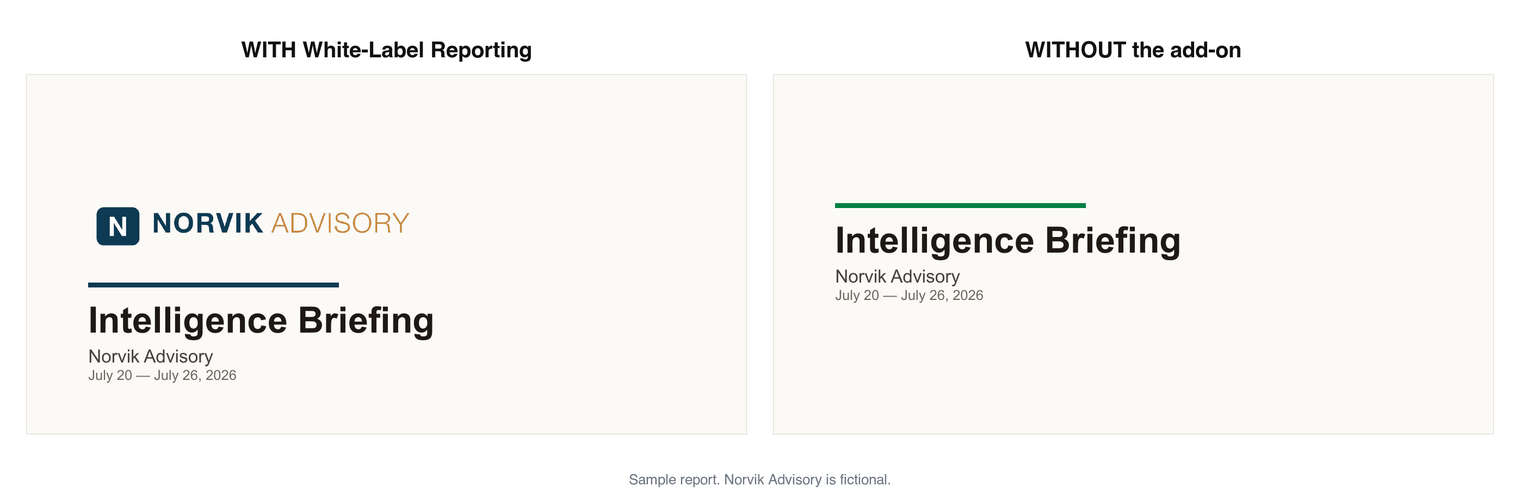
What is a white-label competitive intelligence report?
It is a client-facing document — a weekly briefing, a battlecard, an AI-visibility audit — generated by a competitive intelligence tool but presented as yours. Concretely, “white-label” usually means three changes to the rendered file:
- Your logo on the cover and at the top of the document.
- Your brand colour on titles, rules and accents, replacing the vendor’s.
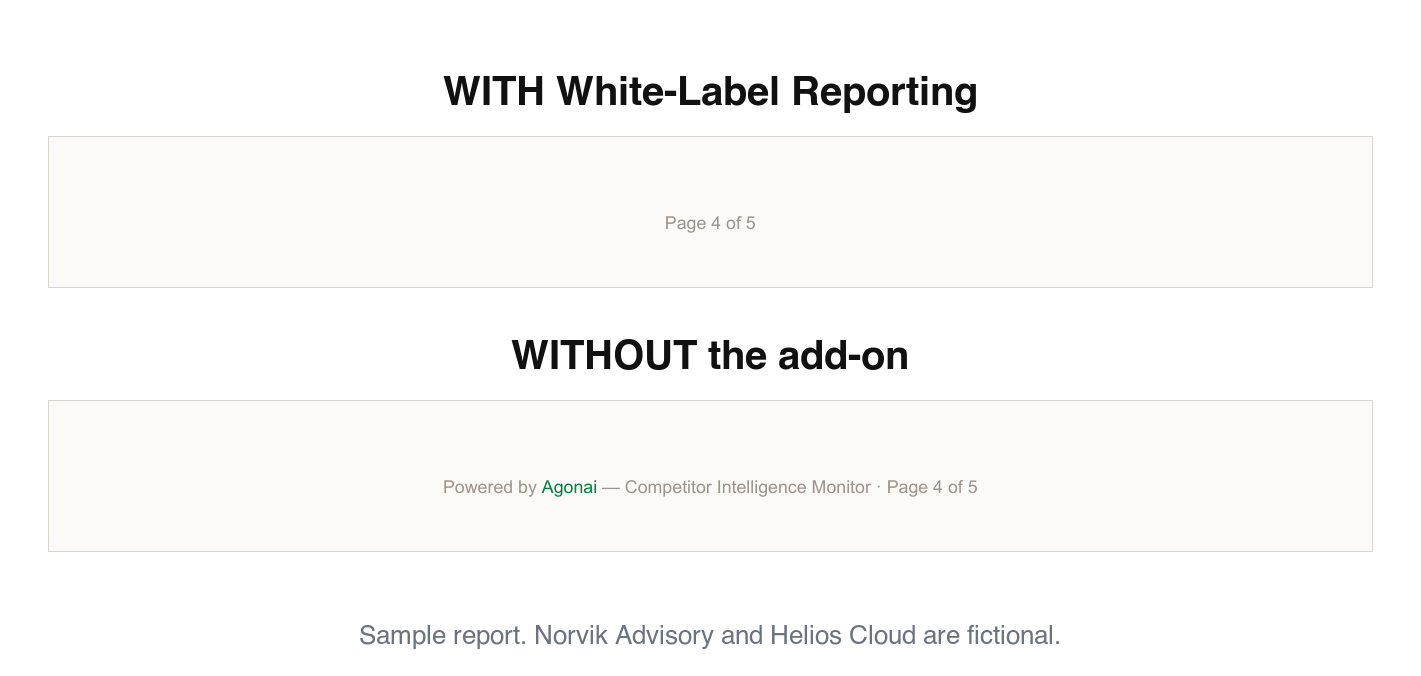
- No vendor footer — no “Powered by [tool]” line, and no hyperlink back to the vendor’s app on every page.
That third one matters more than it looks. A footer link on all twelve pages of a report you charged $2,000 for is not a branding detail. It is a referral to your own replacement.
What does re-branding a report by hand actually cost?
Most consultants who have not automated this do some version of the same loop, every single reporting cycle:
| Step | Typical time |
|---|---|
| Export the raw report or data from the tool | 5–10 min |
| Rebuild it in a deck or doc template | 45–90 min |
| Re-apply logo, colours, headers, page numbers | 15–20 min |
| Re-read for anything the tool phrased in its own voice | 10–15 min |
| Per report | ~1.25–2.25 hours |
At a $150/hour consulting rate, a weekly client costs you roughly $800–1,450 a month in unbilled production time — for one client. The analysis was already done. That figure is pure formatting.
(Those durations are our estimates of a common workflow, not survey data. Time your own next report before you take the number at face value — the point holds at half the estimate.)
This is the honest case for white-labelling: it does not make you smarter, and it does not improve the intelligence. It deletes a recurring chore that scales linearly with your client count and is invisible on every invoice you send.
What is actually in the report?
The branding is the wrapper. What makes a client renew is the contents. A weekly competitive briefing that earns its retainer generally has four parts:
- An executive summary that commits to a claim. “Three competitors moved this week; two are material enough to warrant a response before quarter-end” is useful. “Here are 47 changes” is a log file.
- Changes with their sources. The material claims traceable to a page, a filing, a job post — at minimum the recommendations, since those are the ones a client acts on. Their CEO will ask “how do we know that?” and the answer has to be in the document, not in your head.
- Per-competitor analysis with a “so what”. Not “Competitor A cut Enterprise pricing 20%” but what it implies: whether it is a promotion or a structural repositioning, and whether matching it funds the competitor’s strategy.
- Recommended actions, prioritised. The part clients quote back to you. Two or three, ranked, each tied to a change in the report.
If your tool produces that and you are still rebuilding it in Keynote, you are paying twice.
What white-label does not cover
This is where most vendor pages get vague, so here is the specific version — including for our own product, where the limits are real:
- The branding lands on the document, not on the delivery. In Agonai the scheduled email goes to your team, from our address, with our name on it — it is us writing to our customer. What carries your brand is the PDF, which you export and forward. The split is deliberate and it is not configurable, so “fully white-label, down to the emails” is not something we do, and not something to promise a client.
- No custom sending domain. Removing a vendor’s link is not the same as replacing it with yours. Most white-label tiers do the first, not the second — ours included: there is no custom-domain field to fill in.
- White-label is not multi-tenancy. A branded PDF is a document feature. Client seats, a separate workspace per client, and per-client billing are a platform feature — a different and much larger thing. Agonai does not have it: one workspace per organisation, no client logins. You can run a portfolio per client, which is how most consultants use it, but the branding is set once for the whole account, not per client. Tools that do offer real multi-tenancy put it in a separate agency tier — ask what that tier costs before you promise anyone their own login.
Ask a vendor those three questions before you build a service offer on top of their branding feature. The answers determine whether you can deliver to one client or twenty.
How do you set it up?
The mechanics are the same across most tools that support it:
- Upload your logo as a raster file — PNG, JPG or WebP. Expect a size cap around a megabyte, and expect SVG to be refused: an uploaded SVG can carry a script, so most tools will not take one. A transparent background saves you from a white box sitting on a coloured cover.
- Set your primary colour as a hex value. One colour usually does all the work in the document even where the app lets you set two, so match your existing deck template rather than inventing a new one for reports.
- Switch the branding on. Buying the capability and turning it on are two separate actions in most tools, ours included. Owning the add-on with the toggle off produces a perfectly vendor-branded report.
- Set the cadence, and check what granularity you actually get — a day and an hour in your timezone, or just “weekly”. Either way, arrange for the report to exist the day before your client check-in rather than the morning of it, so you have time to read what you are about to send.
- Generate one and read it end to end. Before it goes to a client, check the cover, the footer, and any body text where the tool might name itself.
That last check is the one people skip. Generate a real report, open the PDF, and search it for the vendor’s name — and do it in every format you actually send, not only the one the feature was built for. Branding tends to be implemented per export format, and the format you use least is the one still carrying someone else’s credit line.
What it costs
In Agonai, white-label branding and custom report scheduling ship together as an add-on called White-Label Reporting: $49/month, or $41/month billed annually. It is available on the Scout ($19/month) and Growth ($199/month) plans, and it is already included in Business ($499/month) — so if you are on Business, you have it and should not buy it. It is its own subscription, added from Settings → Billing inside the app; it stacks on your plan and never changes it.
Both capabilities come together; there is no branding-only or scheduling-only option. A solo consultant running client reporting therefore starts at $68/month all-in ($19 + $49), on a plan where you bring your own AI keys.
Set that against the ~$800–1,450/month of production time a single weekly client costs you to format by hand, and the arithmetic is not close. Whatever you charge for the retainer, the $49 is not the line item that decides it.
The honest summary
White-label reporting is not a growth strategy. It is the removal of a specific, boring, recurring cost — plus the removal of a link that invites your client to go around you. If you deliver competitive intelligence to someone else’s inbox on a schedule, it pays for itself in the first report of the month. If you do the analysis once a quarter for a single client, it does not, and you should not buy it.
Agonai is our product; this article describes how our White-Label Reporting add-on works alongside the general category. Prices verified 2026-08-18 against our published pricing page.
See what your competitors just changed
Published pricing from $19/mo. Start a 14-day free trial — no credit card.
Start free trialWhat moved in AI visibility this week
One email every Tuesday: what ChatGPT, Claude, Perplexity and Gemini changed their minds about, plus anything we published. Unsubscribe in one click.
We don't share your address. One click unsubscribes you, permanently.